Automated prospecting agent workflow
Build a prospecting agent that finds and enriches contacts at your target accounts automatically, then drops them into a spreadsheet. No dashboards, no CSV cleanup, no wasted time.
Why this works
Most sales teams don’t struggle with selling. They struggle with everything that surrounds it: finding the right people, validating roles, pulling accurate data, moving between tools, and repeating the same prep work over and over.
This play removes that friction. Instead of spending your morning hunting for contacts, you wake up to a spreadsheet full of verified contacts already enriched, organized, and ready to work.
What you get
Verified contacts from your target accounts, enriched with direct dials and emails, delivered to Google Sheets on a schedule. All without touching a single CSV or logging into another dashboard.
How to set it up
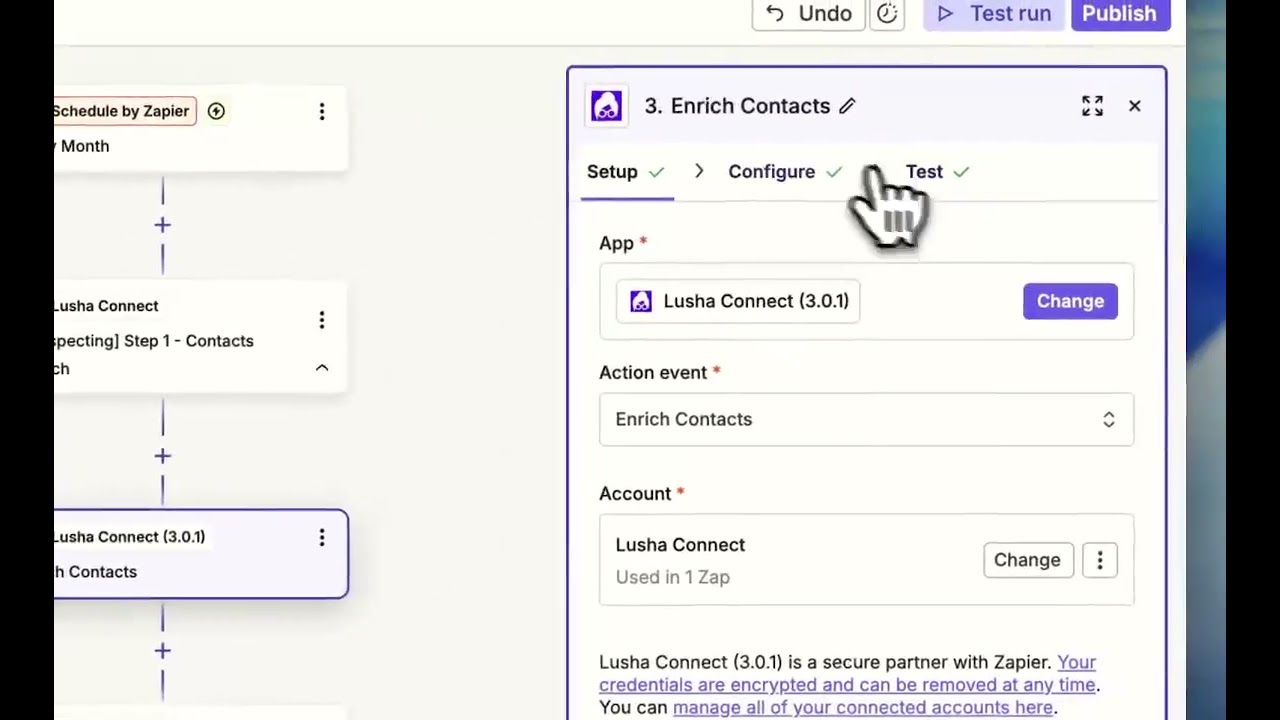
Create a new Zap in Zapier
Open Zapier and start a new Zap. Select Schedule by Zapier as your trigger. Set the frequency—”Daily” or “Weekly” works well for most teams.
Connect Lusha as your action
Add Lusha as the action step. Use the Search Contacts action to find contacts at your target companies. Define your filters: company name, job title, seniority level, location—whatever matches your ICP.
Tip: Start narrow. It’s easier to expand your filters than to clean up a messy list.
Enrich automatically
Lusha enriches each contact with verified emails, direct dials, and company data. No extra step needed—enrichment happens as part of the search.
Export to Google Sheets
Add Google Sheets as your final action. Map the Lusha fields to columns in your spreadsheet. Every time the Zap runs, new contacts appear automatically.
Turn it on and walk away
Activate your Zap. Your prospecting agent will now run in the background. Pipeline appears. Time waste disappears.
What to do next
Once your contacts are landing in Sheets, you can take it further. Connect your spreadsheet to a sales engagement tool to trigger sequences automatically. Or add a Slack notification so your team knows when new contacts are ready to work.
The goal: sellers spend their energy on understanding buying context, teaching instead of pitching, and building trust. Not hunting for contact info.
No FAQ items available at this time.
Ready to build this?
Get started with Lusha and set up this play in minutes.










