Salesforce lead enrichment to Outreach
Build a Zapier workflow that’s triggered by new Salesforce Leads, enriches them with verified Lusha data, writes the enrichment back into the same Lead record, and then adds the prospect to an Outreach sequence. All so follow-up starts with context, fast.
Why this works
Most “slow inbound” problems are really “missing data” problems. Leads enter Salesforce half-complete, reps pause to research, and the lead goes cold.
This play makes enrichment part of the intake. The lead is created, verified details get added immediately, and Outreach starts while intent is still high—without adding work for Sales.
What you get
An automatic loop where:
- New Lead created in Salesforce triggers the flow
- Lusha Connect enriches the record (based on your best identifiers)
- Salesforce Lead updates in place with enriched fields
- Outreach adds the prospect to a sequence automatically
Matching inputs (what Lusha can use)
Recommended identifiers to map from Salesforce into Lusha Connect:
- LinkedIn URL
- First name + last name + company
- First name + last name + domain
Tip: Map as many as you can. More identifiers = cleaner matching.
How to set it up
Start from the Zapier template
Use the Zapier flow designed for Salesforce + Lusha Connect + Outreach so the 4 steps are pre-wired.
Trigger — Salesforce “New Lead”
Connect Salesforce, choose Lead, and trigger on New Lead.
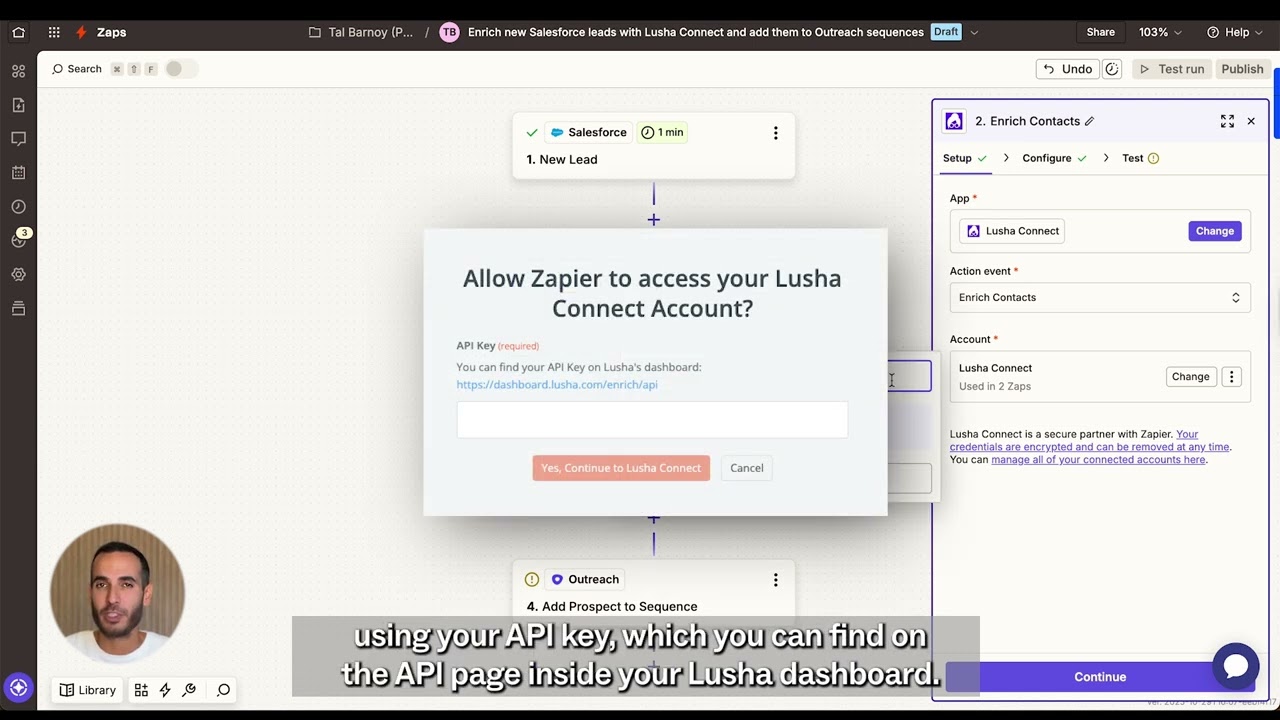
Enrich — Lusha Connect “Enrich Contacts”
Connect Lusha Connect using your API key (from your Lusha dashboard/API page).
In Zapier, map Salesforce fields into Lusha inputs (email, LinkedIn URL, name + company/domain).
Update — Salesforce “Update Lead”
Map Lusha outputs back into Salesforce Lead fields (e.g., phone, title, company fields you rely on). This keeps the CRM record complete before sequencing starts.
Engage — Outreach “Add Prospect to Sequence”
Connect Outreach and select the sequence you want. The enriched lead is added as a prospect automatically.
Test end-to-end
Create a test Lead in Salesforce and confirm:
- Enrichment returns data
- The Lead updates correctly
- The prospect is added to the right Outreach sequence
What to do next
- Add dedupe/update logic (check if the lead/contact already exists before creating/adding)
- Add quality gates (only sequence if a key field is present—like title or phone)
- Route to different sequences based on enrichment (persona, region, company size)
- Add a Slack alert for “high-fit” leads so reps know why the lead was auto-sequenced
No FAQ items available at this time.
Ready to build this?
Get started with Lusha and set up this play in minutes.










