Auto-enrich incomplete HubSpot contacts
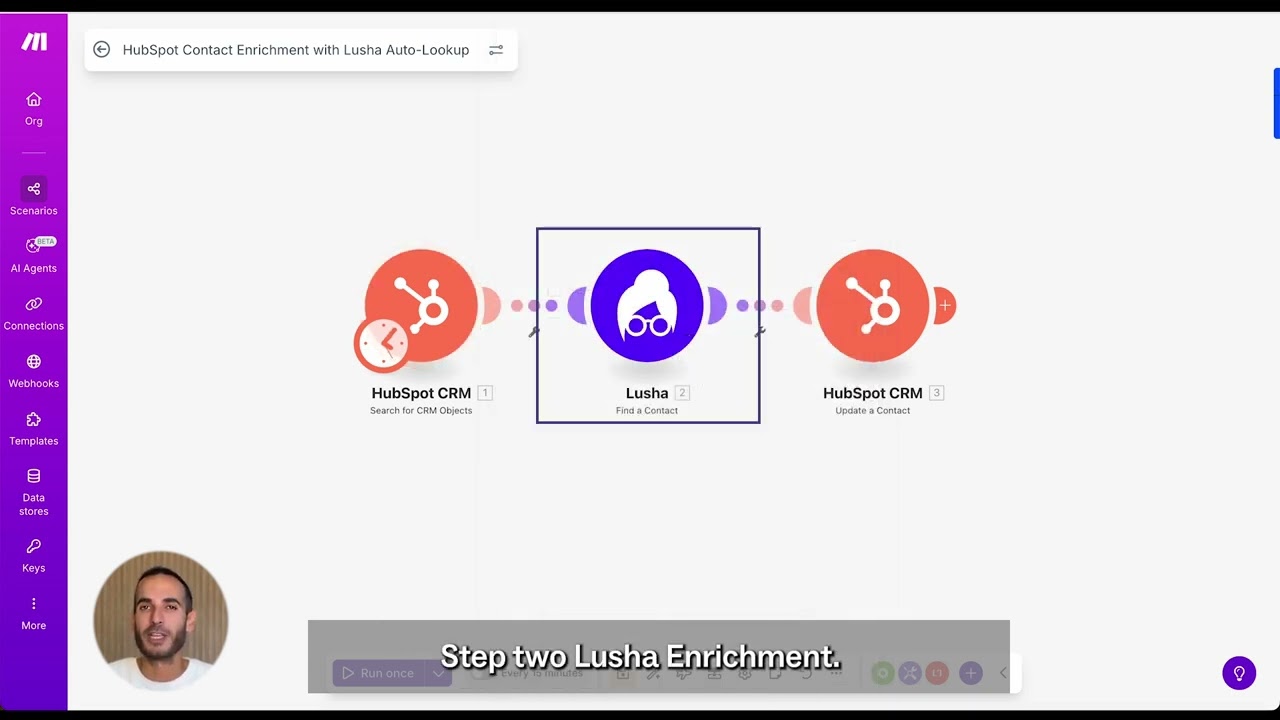
Build a repeatable enrichment loop that finds HubSpot contacts missing key fields, looks them up via Lusha’s API, and updates the same contact record in place—based on your field mapping and overwrite rules.
Why this works
Most teams don’t lack data. They have almost enough data: a name and email, but missing a phone number. Or they have vague titles, incomplete company context, and legacy imports no one has time to fix.
That gap slows outreach, breaks routing and scoring, and forces everyone to build side spreadsheets. This play turns enrichment into a quiet background motion that keeps HubSpot usable without adding manual work.
What you get
A controlled enrichment workflow that:
- Searches HubSpot for contacts missing critical fields
- Uses what you already have (name, company, LinkedIn URL) to find a match in Lusha
- Fills gaps with verified emails, phones, titles, seniority, and company info
- Avoids touching records that are already complete (saves API usage, avoids risk)
How the template works (logic)
- Find incomplete contacts in HubSpot (you define what “incomplete” means)
- Call Lusha API to look up missing person + company details
- Validate + transform the response into HubSpot-ready fields
- Update the same HubSpot contact (no duplicates), using your overwrite rules
Process in batches so it’s predictable and scalable
How to set it up
Confirm prerequisites
- HubSpot permissions to read + update contacts
- Lusha API key with contact lookup enabled
- Make account with access to templates
- HubSpot contacts that include at least name + company or LinkedIn URL
Install the template in Make
In Make’s template library, find “HubSpot Contact Enrichment with Lusha Auto-Lookup” and add it to your workspace. Alternatively, go straight to the template from this play.
Connect HubSpot and Lusha
Authenticate HubSpot, then connect Lusha using your API key so the scenario can run API calls securely.
Define what “complete” means (your filters)
Pick the fields that must exist for a sales-ready contact, like:
- Phone number
- Job title/seniority
- Company name + industry + company size
Use those definitions to configure the HubSpot search so you only enrich contacts with real gaps.
Map fields and set overwrite rules
Map Lusha fields (email, phone, title, seniority, company attributes) to the HubSpot properties you already use.
Choose overwrite behavior:
- Fill blanks only (safe default), or
- Overwrite specific fields when Lusha is more current/verified
Run a pilot segment, then scale
Start with one list/lifecycle stage/region, review results, then expand once Sales + RevOps trust the outputs.
Choose how it runs
- Scheduled sweep (hourly/overnight batch enrichment)
- Triggered enrichment (right after a new contact is created)
Tip: If you’re nervous about overwrite risk, start with scheduled sweeps + fill-blanks-only, then tighten the rules after a week.
What to do next
- Use the new fields to improve routing and lead scoring (seniority, industry, etc.).
- Point the same flow at legacy imports to clean them up gradually instead of doing a one-time sprint.
- Add an alert (Slack/email) for contacts enriched into a “high-fit” segment, so speed-to-lead improves without extra ops work.
No FAQ items available at this time.
Ready to build this?
Get started with Lusha and set up this play in minutes.










