Auto-qualify form fills workflow
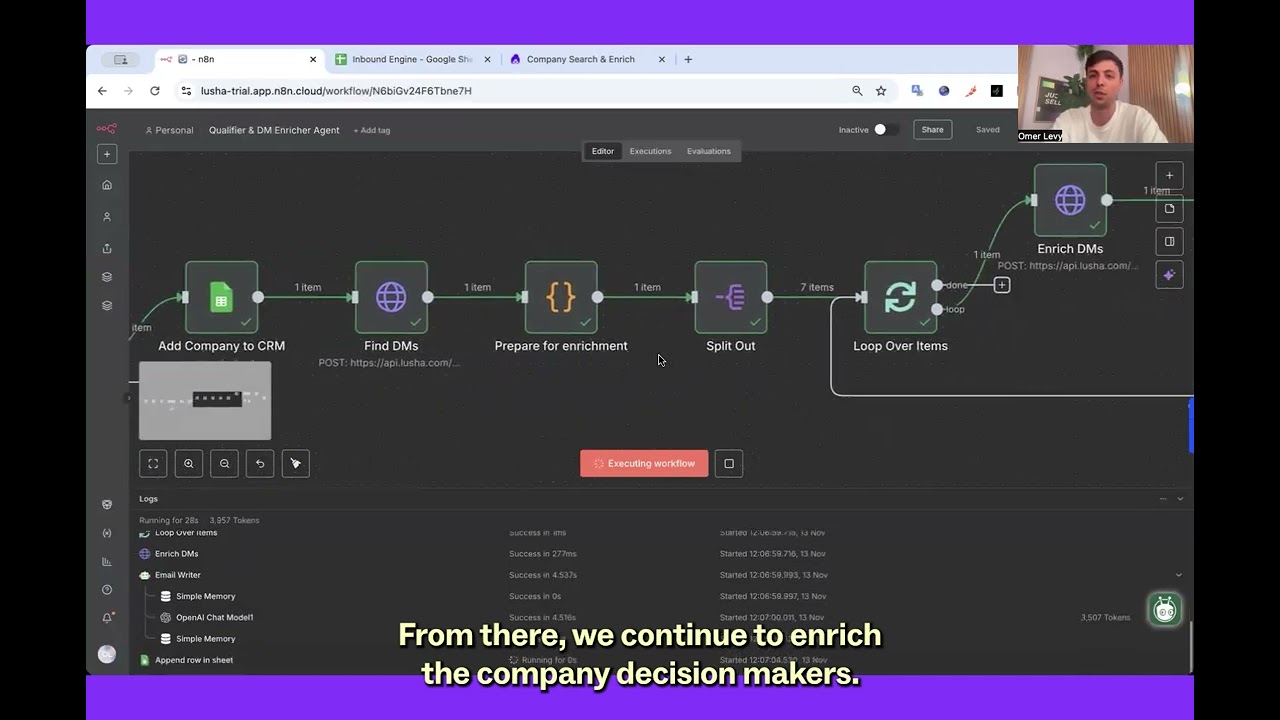
Build a workflow that captures only name + business email, enriches the person and company with Lusha (including signals), checks ICP fit automatically, and outputs a structured spreadsheet, complete with the decision-makers Sales should actually contact.
Why this works
Inbound is supposed to be the easiest pipeline source. But most form fills arrive as a half-record: name, email, maybe a company. Everything after that becomes “research,” which slows routing, creates inconsistent qualification, and leaves sellers guessing.
This play separates capture from qualification: Marketing keeps the form friction low, RevOps enriches and validates in the background, and Sales receives a ready-to-work list with buyer context baked in.
What you get
A daily “ready-to-target” list where every qualified inbound includes:
- Contact details + company details
- ICP fit reason
- Key signals (growth, funding, hiring, etc.)
- A confidence score
- The actual decision-makers (VP Sales, Director RevOps, Head of Marketing, CRO, etc.) even if the submitter is junior
Workflow logic
What the form collects (keep it short)
- Full name
- Business email
What the workflow enriches automatically
- Person enrichment: title, seniority, phone, social links
- Company enrichment: size, industry, revenue, funding, tech stack, location
- Signals: hiring trends, job changes, growth indicators
ICP check (examples from the play)
- 51–1,000 employees
- SaaS / AI / IT services
- Recently raised or actively growing
- Using complementary tools
- In target regions
How to set it up
Capture the form fill
Collect only name + business email. That’s enough to trigger everything else.
Enrich the submitter and company with Lusha
Pull person + company enrichment and relevant signals so you can qualify with facts, not opinions.
Run automatic ICP analysis
If the company fits your ICP, continue. If not, keep the data, but don’t push it to sellers.
Write qualified leads into a structured spreadsheet
Create a clean “Sales-ready” sheet that includes fit reasons, signals, and a confidence score.
Enrich the buying group (not just the submitter)
If the submitter isn’t the right persona, identify and enrich the decision-makers sellers should target.
Deliver the ready-to-target output to Sales
By the time SDRs/AEs see it, they know who submitted, whether it fits, who the buyers are, and why now.
What to do next
- Push the same enriched outputs into HubSpot/Salesforce (or keep Sheets as the daily queue).
- Turn “confidence score + signals” into routing rules (who gets immediate outreach vs. nurture).
- Use the downloadable template (“Qualifier & DM Enricher Agent”) as your starting point, then tune ICP rules by segment.
No FAQ items available at this time.
Ready to build this?
Get started with Lusha and set up this play in minutes.










