Prioritize outreach with buying intent signals
In outbound sales, timing is often more important than the pitch itself. A perfect ICP match might ignore you for six months, only to become a buyer the week they raise a Series B or hire a new VP of Engineering. This play operationalizes momentum by layering Lusha’s four primary signal actions into your existing Clay tables.
By monitoring contact-level moves (promotions/job changes) and company-level shifts (news, headcount growth, and web traffic), you can move away from static lists. Instead, your Clay table becomes a dynamic leaderboard that surfaces high-signal accounts to the top. This gives your reps a timely, non-generic reason to reach out that cuts through the noise of standard automated sequences.
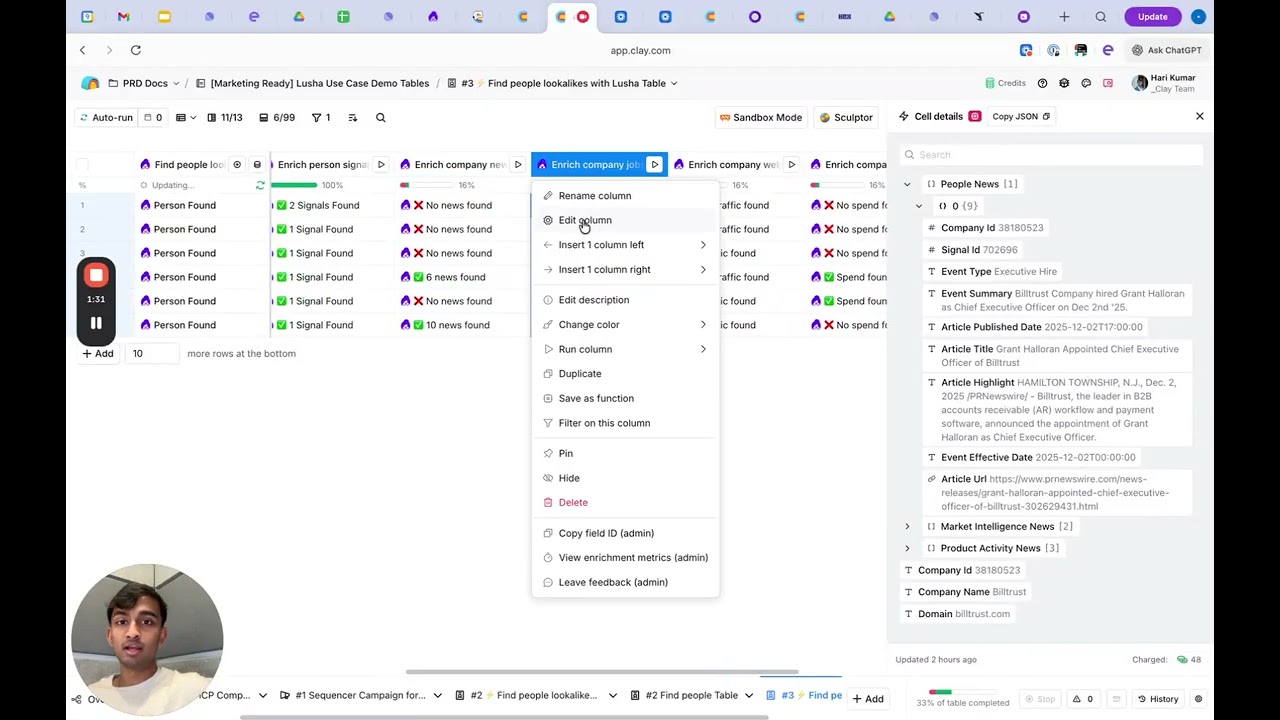
Why this works
Most outreach fails because it lacks context. This play transforms your strategy from “Who can I sell to?” to “Who is ready to buy right now?” by:
- Capturing career shifts: Identifying when a champion moves to a new company—the single highest-converting lead source.
- Tracking growth velocity: Monitoring hiring surges by specific department (i.e. Engineering or Sales) to identify where budget is being allocated.
- Leveraging news for personalization: Using AI to turn funding announcements or acquisitions into custom opening lines.
- Monitoring digital interest: Using website traffic trends to spot accounts that are scaling their online presence.
What you get
- Real-time monitoring of career activity (promotions and company changes)
- Automated account-level news tracking (funding, M&A, leadership changes)
- Department-level hiring growth metrics (last month vs. historical average)
- Website traffic momentum indicators
- A dynamically scored list ready for high-relevance outreach
How to set it up
Copy the Clay template
Copy the template into your Clay workspace.
Bring in your target list
Populate your table with accounts or contacts you want to monitor.
Tip: Use an export of your “Tier 1” HubSpot/Salesforce accounts or a list of previously unresponsive leads that might be ready for a fresh look.
Run “Find Person” signals
Detect recent career moves. Use the “Promotion Detected” or “Company Change” flags as run conditions.
Example: If a contact changes companies, trigger a search for their new work email via Lusha.
Run “Company News” & “Traffic” signals
Surface timely events like funding or acquisitions.
Tip: Feed the article highlights into an AI column to summarize why this news makes them a good prospect for your specific solution.
Track hiring momentum
Run the “Find Company Jobs Growth” signal. Focus on departments that most benefit from your product (i.e. if you sell DevTools, look for a surge in Engineering hiring).
Score and reprioritize
Create a formula column that adds points for each signal (i.e. +10 for Funding, +5 for Hiring Surge). Sort your table by this score and push the top records to your sequencer.
What to do next
- Trigger signal-based sequences: Instead of one general sequence, create specific tracks for “Congrats on the funding” or “Congrats on the promotion.”
- The backfill play: When the “Person Signal” detects someone has left a target account, immediately use Clay’s “Find People” to identify who was hired to replace them.
- Weekly signal digest: Set the workflow to run every Monday and send a Slack summary to the sales team: “Here are the 5 accounts in your territory with the most momentum this week.”
The goal: Move from luck to logic. This play ensures your reps are always working the hottest leads in the database, backed by real-time Lusha data that explains exactly why today is the day to reach out.
No FAQ items available at this time.
Ready to build this?
Get started with Lusha and set up this play in minutes.










