Your data keeps changing, but most GTM systems don’t keep up.
Contacts move, companies grow, priorities shift — and one-time enrichment can’t handle that.
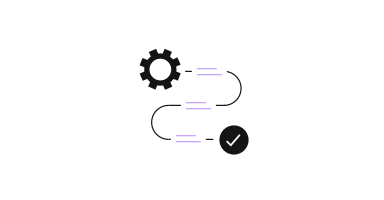
What high-performing teams do differently is build workflows where data stays updated as part of the system. Enrichment runs automatically, signals show when something changes, and actions follow without manual work.
It usually starts simple and evolves over time, until the system itself reflects what’s actually happening instead of a static snapshot.
Your data is decaying faster than your Ops team can fix it.
Contacts change jobs, companies expand, priorities shift, and new buying signals appear every day. In most organizations, keeping up with that falls on RevOps or Sales Ops, usually through periodic cleanups, enrichment projects, or manual fixes. But as GTM motions become more complex and teams move faster, that model starts to break. Sales, marketing, and growth teams are increasingly building their own workflows, automations, and data pipelines instead of waiting in a ticket queue.
At a certain scale, enrichment stops being a task and becomes part of the system that keeps everything running.
The question shifts from “How do we enrich this lead?” to “How does data move across our GTM systems, and what happens when something changes?”
From data access to data workflows
Most companies start with enrichment as a point solution. Someone needs a verified email or a phone number, runs a lookup, enriches a contact, and moves on. It solves the immediate problem, but it doesn’t hold up once more systems depend on that same data.
As soon as routing, scoring, outbound sequencing, and reporting are all tied to the same records, data quality becomes a dependency. If the data entering the system is incomplete, workflows don’t trigger correctly. If it’s outdated, prioritization becomes guesswork. If it’s inconsistent, everything downstream starts to drift.
That’s why more mature organizations stop thinking about enrichment as a step and start thinking about it as part of a continuous GTM data workflow.
Stage 1: Data access
Everything starts with having reliable contact and company data. Enrichment at this stage fills in the obvious gaps:
- Verified emails
- Direct dials
- Job titles and seniority
- Company size, industry, and firmographics
This solves the surface-level issue of incomplete records, but it still reflects a snapshot in time. People change roles, companies restructure, and new teams emerge — so this stage doesn’t last long.
Stage 2: Automated data workflows
The next step is embedding enrichment directly into the system.
Instead of enriching records manually or in batches, enrichment runs as part of existing workflows. The most common place this shows up first is at intake.
A typical intake flow looks like this:
Form submission → enrichment → CRM → routing and scoring
By the time the system evaluates the lead, it already has the context it needs.
From there, the same logic extends across the CRM:
- Records update when data is missing or outdated
- Routing and scoring rely on complete data
- Prospecting becomes repeatable instead of manual
At this point, data becomes consistent enough to support the system. But most workflows still run on schedules — daily syncs, batch updates, periodic refreshes — which creates lag.
Stage 3: Signals and timing intelligence
Clean data answers who to target, but it doesn’t answer when.
Signals add that missing layer. They surface changes that indicate something is happening inside an account:
- A new decision-maker joins
- Hiring spikes in a specific team
- Steady headcount growth
- Expansion into new markets
Instead of relying on static lists or periodic checks, signals feed directly into the system.
That means:
- Accounts are re-prioritized when activity appears
- Scores update based on momentum
- The right person gets notified at the right time
Outreach becomes tied to timing, not just targeting.
Stage 4: Event-driven systems
The final shift is removing the lag between change and action.
In traditional setups, even automated workflows still depend on schedules:
- Daily syncs
- Weekly refreshes
- Batch enrichment jobs
More advanced setups move to event-driven logic.
When something changes:
- A signal is detected
- An event is triggered
- A webhook pushes the update
- The system reacts immediately
For example:
Hiring surge → score update → SDR notified
No waiting for the next cycle. No manual follow-up.
What this looks like in practice
By this point, the system is no longer built around individual workflows.
Enrichment happens as data enters the system. Records stay accurate in the background. Signals surface real-world changes, and actions are triggered as those changes happen.
There’s no need to rebuild lists or run cleanup cycles.
The system stays aligned with what’s actually happening across accounts and contacts.
Where Lusha fits
In these environments, Lusha becomes part of the data layer that feeds the system.
It provides:
- Verified contact and company data
- Continuous enrichment
- Real-world change signals
And connects into:
- CRM systems
- Automation platforms
- Outbound tools
- Internal workflows
Instead of enriching records once, data flows continuously across everything that depends on it.
What matters isn’t the exact setup, but the pattern: enrichment happens early, data stays accurate over time, signals drive prioritization, and systems react as things change.
The shift
What changes isn’t just the tooling. It’s the model:
- Enrichment moves from manual to built-in
- Lists stop being static
- Updates stop relying on schedules
- Data stops decaying quietly
It becomes part of the infrastructure.
Getting started
This doesn’t get built all at once. Most teams start with a single workflow, often at intake, and expand from there as the system matures.
But the bigger shift isn’t just technical.
By moving away from a ticket-request culture, Sales, Marketing, and RevOps are becoming builders. Instead of relying on centralized teams to manage data and workflows, they’re creating their own automations — systems that respond to real-world changes as they happen.
If you’re moving from manual research to a more continuous GTM model, a few starting points:
- Lusha Plays: Ready-to-run GTM workflows built by operators
- Lusha Cohorts: Instructor-led sessions to build workflows alongside experts
- API documentation: Endpoints, signals, and webhooks to power your data layer
The boundaries between teams are starting to blur. Whether you’re in Sales, Marketing, or Ops, the goal is the same: build a system where data flows continuously, and your GTM execution keeps up with it.
Keep reading:
FAQs
GTM data workflows are automated processes that manage how contact and company data moves across your systems. Instead of manually enriching or updating records, these workflows keep data accurate, trigger actions, and help teams prioritize accounts based on real-time changes.
Because data changes constantly. Contacts switch roles, companies grow, and priorities shift. A one-time enrichment only captures a snapshot, which quickly becomes outdated and affects routing, scoring, and outreach.
Enrichment fills in missing data.
Data workflows ensure that data stays accurate and is continuously used across your GTM systems — including CRM, automation tools, and outbound workflows.
Signals add timing to your workflows. They show when something meaningful changes — like hiring, growth, or expansion — so your system can prioritize accounts and trigger actions at the right moment.
An event-driven system reacts immediately to changes. Instead of waiting for scheduled updates, actions are triggered when something happens — like a job change or hiring surge — so teams can respond in real time.
Most teams start with one use case, like enriching leads at intake or keeping CRM data accurate. From there, they gradually add signals and automation to build a more continuous system.
Lusha provides verified contact and company data, continuous enrichment, and real-world signals. Through APIs and integrations, this data flows into your CRM and workflows, helping teams maintain accuracy and act on changes as they happen.