Enrich contacts with verified emails & direct dials
Contact enrichment is only as effective as the accuracy of the data it returns. Many teams struggle with thin records, bounced emails, or phone numbers that lead to dead ends. This play solves that by integrating Lusha’s “Enrich Person” action directly into your Clay table.
With ~85% phone accuracy and a focus on non-scraped data, Lusha provides more than just contact info. It returns confidence scores for emails and Do Not Call (DNC) indicators for phone numbers. This allows you to build a sophisticated quality gate in Clay, ensuring your reps only spend time on prospects they can actually reach—and legally call.
Why this works
Scraped or unverified data exposes your team to deliverability risks and legal compliance issues. This play operationalizes trust by:
- High-accuracy matching: Using Lusha’s premium database to find direct dials that other providers miss.
- Compliance first: Automatically flagging Do Not Call (DNC) list status before a rep ever picks up the phone.
- Deliverability gates: Using email confidence scores to filter out risky addresses before they hit your sequencer.
- Omni-motion support: Working seamlessly across inbound enrichment, outbound list building, and CRM hygiene.
What you get
- Verified professional email addresses with confidence scores
- Direct dial phone numbers with ~85% accuracy
- Do Not Call (DNC) status indicators for legal compliance
- Flexible mapping (i.e. via LinkedIn URL, email, or name/domain)
- Automated quality gate routing for outbound sequences
How to set it up
Copy the Clay template
Start by copying the template into your Clay workspace.
Bring in your contact list
Populate your Clay table using any people source.
Tip: Use Clay’s native “Find People” or a CRM export from HubSpot/Salesforce to create your initial rows of target prospects.
Run Lusha's “Enrich Person” action
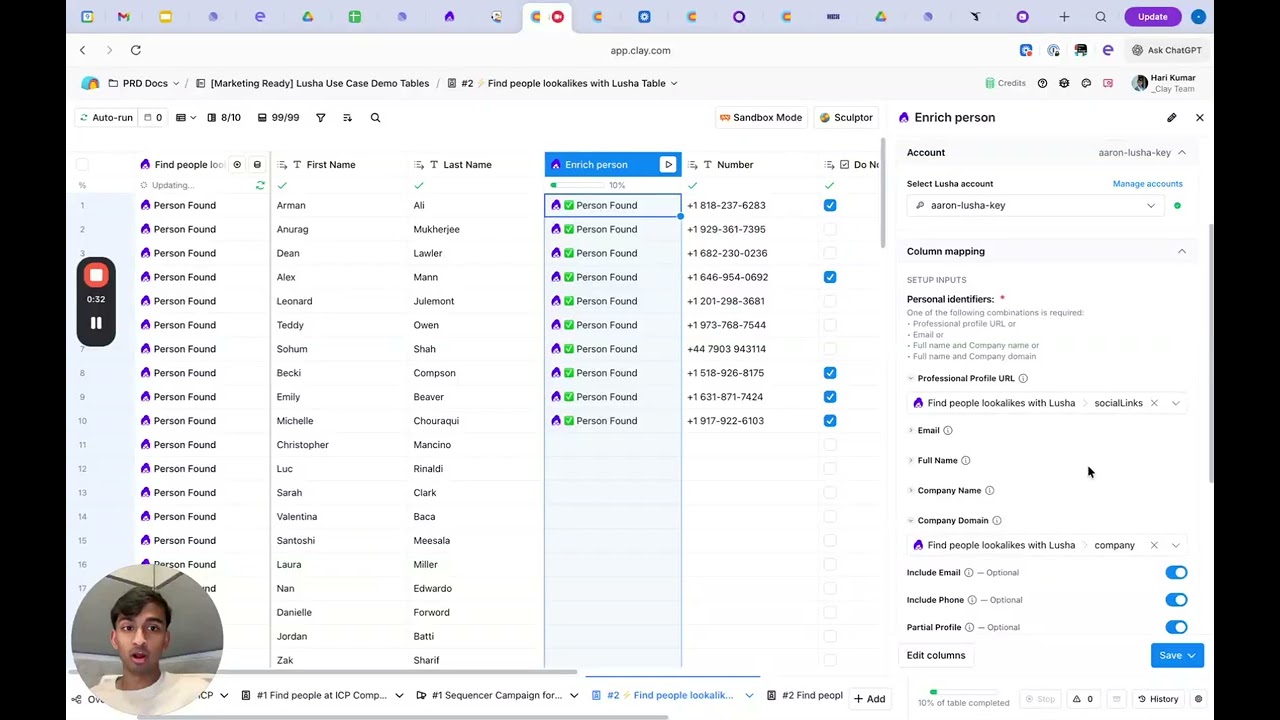
Add the Lusha enrichment step. Map the identifiers you have available (i.e. LinkedIn URL, email, or Full Name and Company Domain). You will need to connect your own Lusha API key at this stage.
Pull emails and confidence scores
Toggle the “Include Emails” option. Configure your table to capture both the email address and the confidence score. Use the score to set a threshold (i.e. only move forward with emails scored 80% or higher).
Pull direct dials and DNC status
Toggle the “Include Phone Numbers” option. This pulls the direct dial and the DNC status. This is critical for European compliance and for protecting your reps’ time.
Feed enriched contacts downstream
Set up your final routing. Use Clay’s filtering logic to push contacts to your CRM or sequencer (i.e. Outreach, Salesloft) only if they pass your quality and compliance checks.
What to do next
- Waterfall logic: If Lusha doesn’t find a match, add a second provider node to “waterfall” the enrichment and ensure maximum coverage.
- DNC branching: Create two separate paths in your sequencer: one for “Call + Email” (DNC clear) and one for “Email Only” (DNC flagged).
- Weekly CRM hygiene: Run this workflow against your existing CRM records once a week to refresh titles and update contact info for people who have moved companies.
The goal: Stop wasting time on bad data. This play ensures every contact in your outbound list is a high-trust record, allowing your team to focus on building relationships instead of cleaning spreadsheets.
No FAQ items available at this time.
Ready to build this?
Get started with Lusha and set up this play in minutes.










