
Template

Clean lead intake from messy sources

Time to build: 60 min
Difficulty: Advanced
Tools: Google Gemini ▪ Google Sheets ▪ HubSpot ▪ Lusha ▪ n8n ▪ Telegram

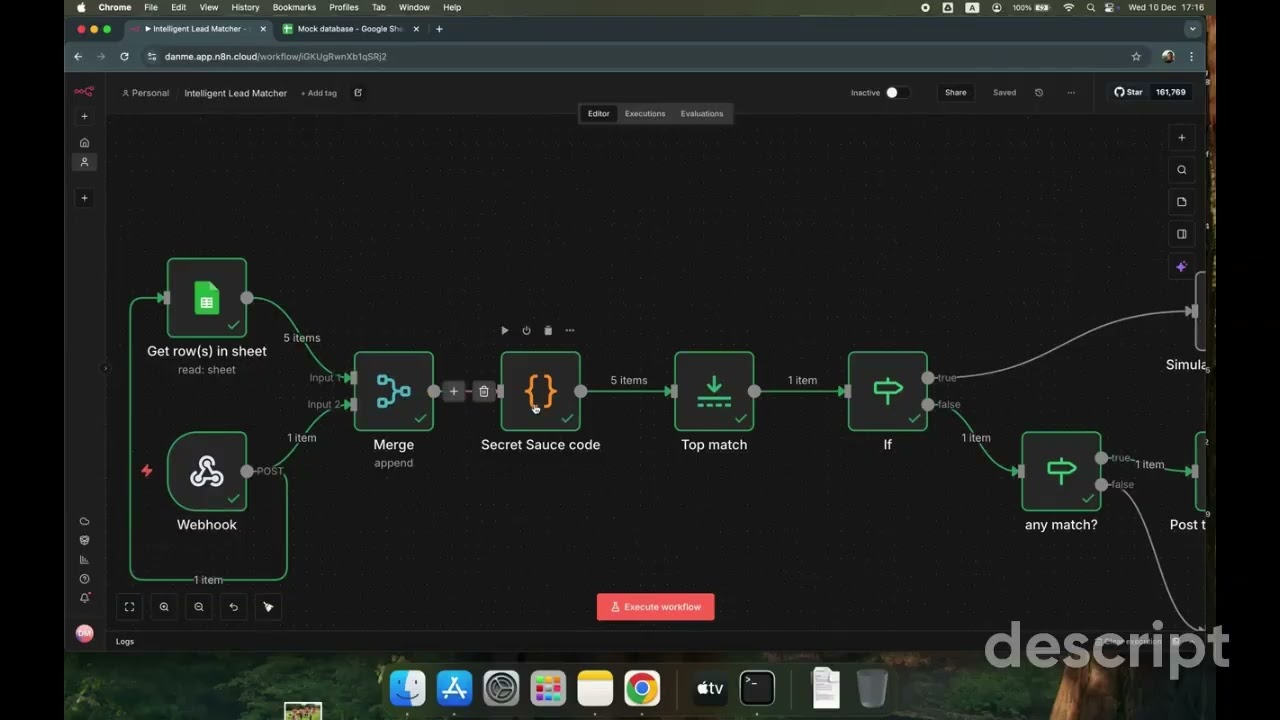
This n8n workflow cleans up leads before they enter your CRM. It takes leads from Google Sheets or Telegram, even as free text, and uses AI to turn them into a standard format. Then it checks HubSpot for existing records, enriches only the missing fields with Lusha, and syncs a clean record to HubSpot.
Clean lead intake from messy sources video thumbnail

Why clean leads before they reach your CRM?

Most CRM problems start at intake, not with enrichment or scoring. Teams have enrichment tools, automation, and dedupe rules, and the CRM still fills up with near-duplicates and records nobody trusts.

That’s because cleanup usually happens after a lead is already in the CRM. This workflow checks every lead at the door, so only clean, matched, and complete records get in.

What this workflow does

  • Accepts leads from Google Sheets, Telegram, or any webhook
  • Uses Google Gemini to turn messy text into structured fields
  • Checks HubSpot for existing contacts, with both exact and fuzzy matching, to prevent duplicates
  • Enriches with Lusha only when key fields are missing, like email, role, or company data
  • Creates or updates the contact in HubSpot
  • Updates the status in your sheet and sends a confirmation in Telegram

How to set it up

01

Use the n8n template

Start from the “Sync and enrich HubSpot leads from Google Sheets and Telegram with Gemini and Lusha” template. It handles intake → normalization → matching → enrichment → CRM sync in one flow.

02

Configure your Google Sheet

Input your Spreadsheet ID in both:

  • The Trigger node (listens for new rows)
  • The Acknowledge node (updates status after processing)
03

Set up Telegram trigger

Configure the Telegram node to listen for messages in your designated lead channel or bot. Unstructured text messages will be parsed by Gemini.

04

Adjust matching sensitivity

In the Switch Logic node, set your fuzzy matching algorithm threshold:

  • Default: 80% (recommended starting point)
  • Higher (85–90%): Stricter matching, fewer false positives
  • Lower (70–75%): Looser matching, catches more variants

This two-tier matching (hard + fuzzy) prevents duplicates and saves Lusha credits by avoiding unnecessary API calls.

05

Configure enrichment triggers

The workflow automatically calls Lusha’s Person and Company APIs only when key fields are missing, like email, role, or firmographic data.

This targeted approach keeps costs efficient at scale. You’re not enriching everything, every time, just filling gaps.

06

Test with both input types

Try sample inputs:

  • Google Sheets: Add a row with name, company, email
  • Telegram: Send “John Smith at Acme Corp, worth reaching out”

Confirm:

  • Gemini normalizes Telegram text correctly
  • Matching catches existing HubSpot contacts
  • Enrichment runs only when needed
  • HubSpot updates appear (create or update)
  • Google Sheet status updates
  • Telegram confirmation message sent

What to do next

  • Add more intake sources: Extend the pattern to Cal.com bookings, Typeform submissions, or email forwards. The same normalization logic applies.
  • Tune matching thresholds: Adjust fuzzy matching algorithm dials based on your false positive/negative tolerance after observing real-world performance.
  • Track intake metrics: Monitor processing speed, match rates, enrichment coverage, and duplicate prevention over time.
  • Build source-specific routing: Send Telegram leads to SDRs instantly, and Sheet leads to nurture sequences, based on urgency and source context.
  • Layer in qualification scoring: After intake is clean, add AI scoring on top to prioritize high-fit leads automatically based on ICP criteria.

The goal: Clean CRMs aren’t the result of better cleanup jobs. They’re the result of better boundaries. Handle lead intake properly, and everything downstream becomes easier to reason about, easier to maintain, and easier to trust.

FAQ

  • Use this n8n workflow. Before creating a record, it checks HubSpot with exact and fuzzy matching, and updates the existing contact if it finds a match.

  • Yes. If someone sends a Telegram message like “John Smith at Acme Corp, worth reaching out,” Gemini turns it into structured fields.

  • No. Lusha runs only when key fields are missing, which saves credits.

  • You set it. The default threshold is 80%. Raise it for stricter matching, or lower it to catch more variations.

  • Yes. The same logic works with Cal.com, Typeform, or forwarded emails.

Ready to run this?

One data connection. Works in Claude, ChatGPT, your CRM, or any agent you build.