Research, enrichment, signals, and CRM — finally connected
Trusted by 300,000 leading GTM teams


Walkme hits 120% of its prospecting goals with Lusha
Once meetings are booked, Lusha Conversations analyzes what’s working—across calls, demos, and emails. See which messages land, share insights














Run GTM, minus the complexity
Turn one-off list building into a continuous workflow. Find the right companies, track buying signals, and keep everything updating automatically.
Find the right companies and contacts
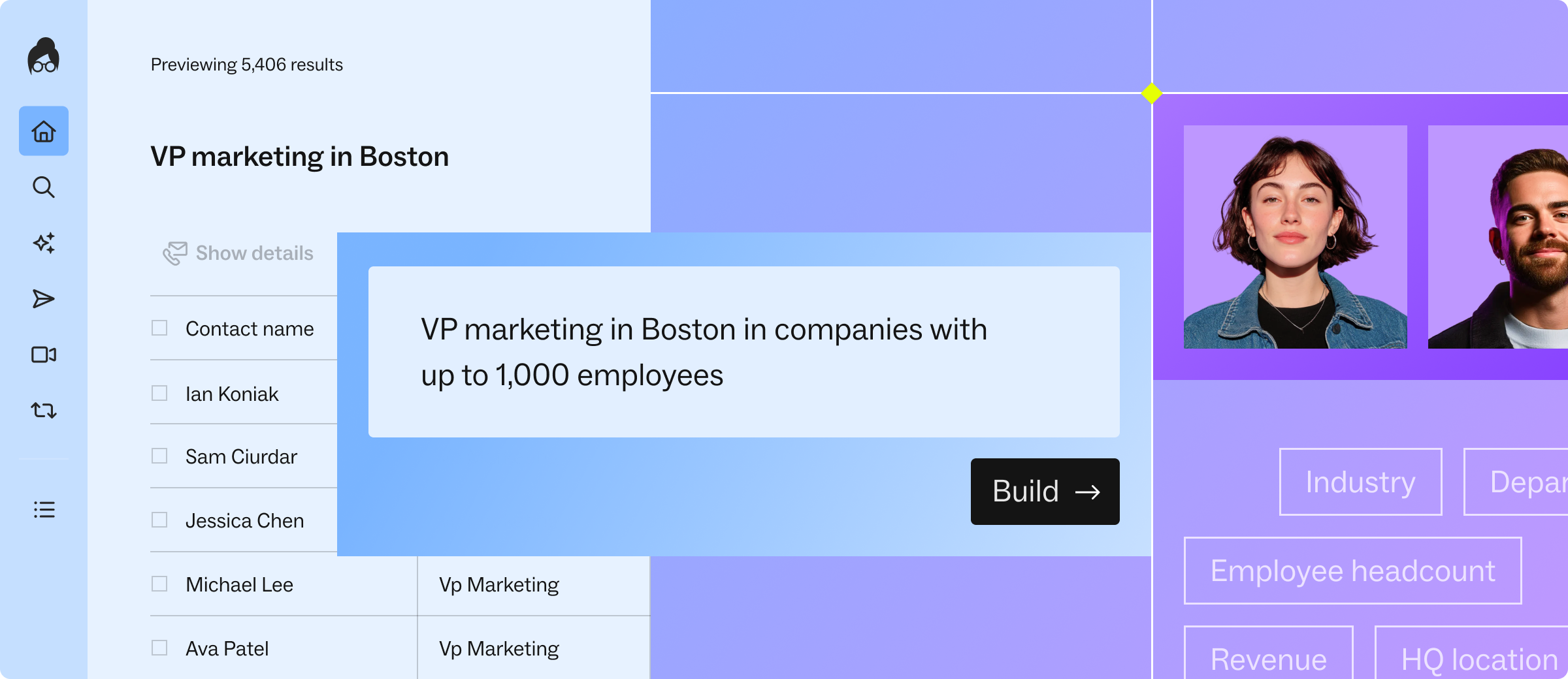
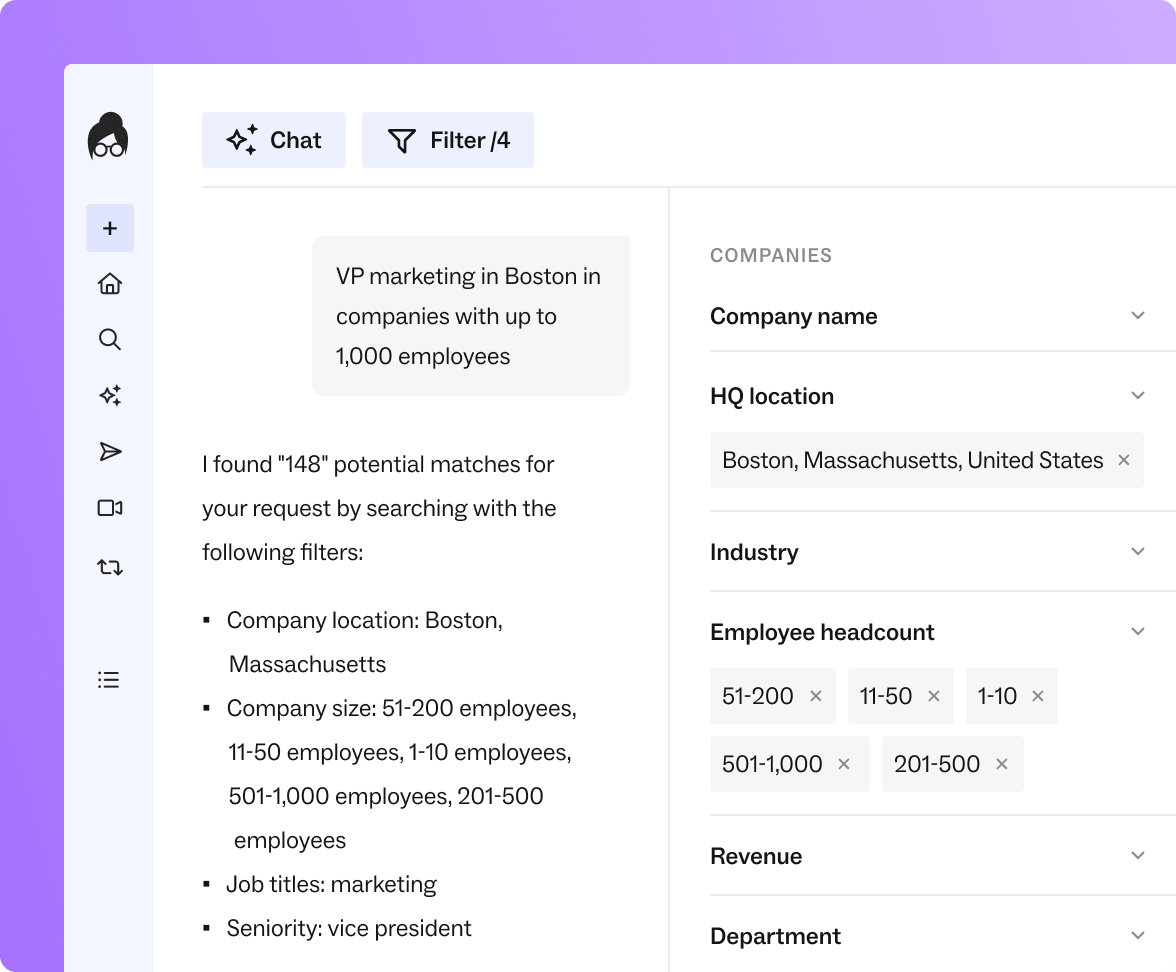
Describe who you want to reach and Workspace builds the list. Use natural language, filters, or import accounts from your CRM. Verified emails, direct dials, and company details are added automatically.
Track buying signals across your accounts
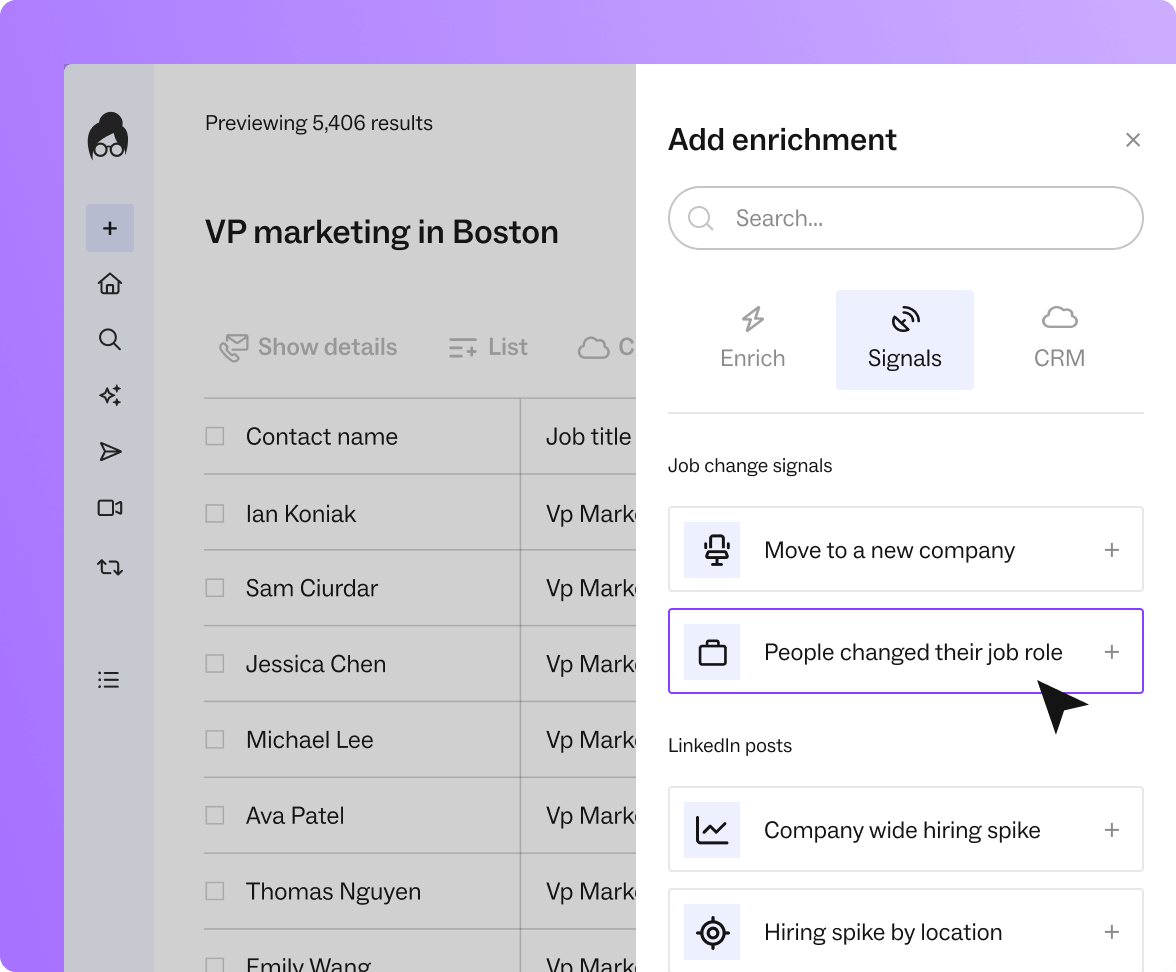
Monitor changes like funding, hiring, job moves, growth trends, and tech stack updates in one view. Bring in your CRM accounts to instantly see which ones are active.
Build it once and let it run automatically
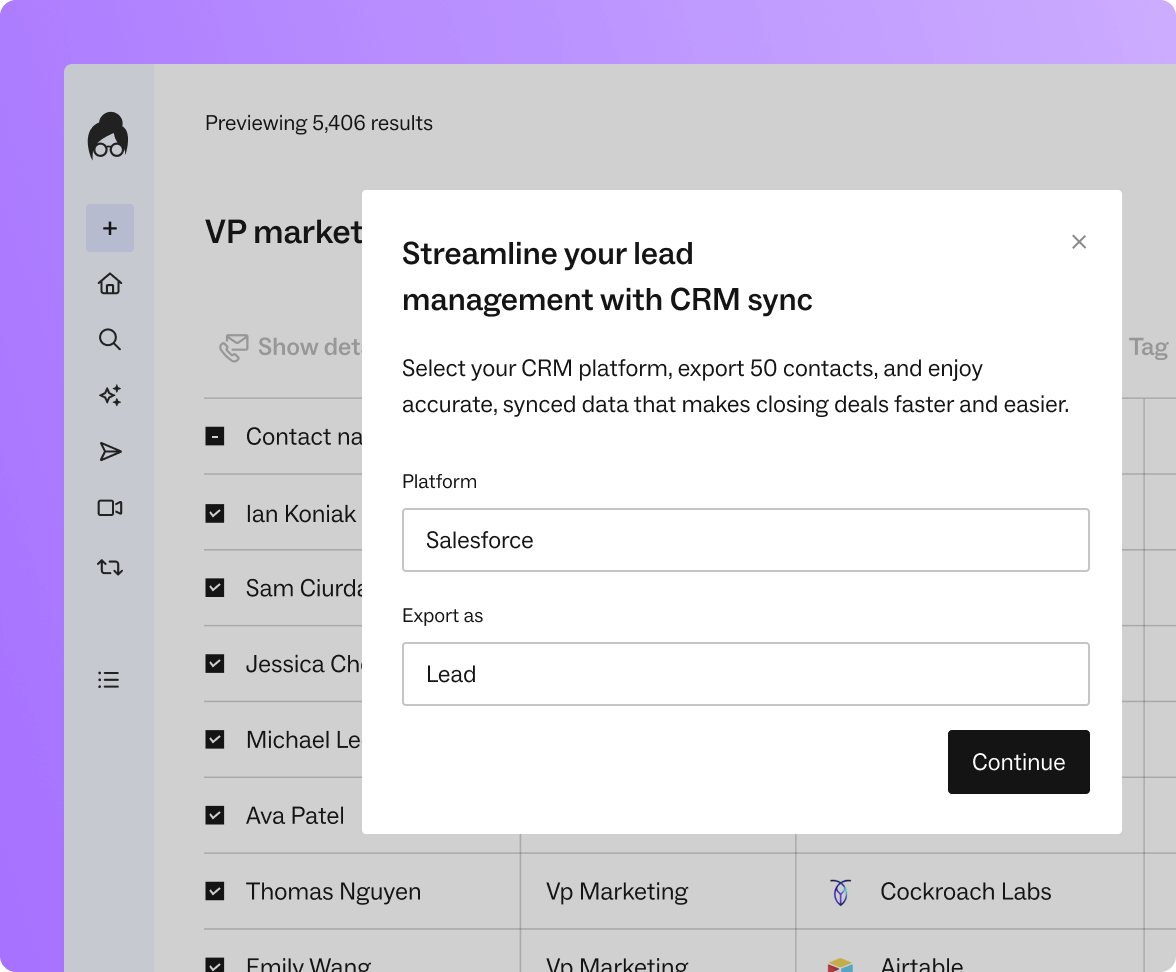
Save your search once and let it update as new companies and contacts match your criteria. Sync to Salesforce or HubSpot, export clean data, or keep your CRM enriched automatically.
Common use cases for Lusha Workspace
Account research
Open one view and see company context, growth signals, and key contacts before the call.
High-signal prospecting
Find companies with fresh signals — funding, expansion, hiring — and reach them while momentum is real.
Account-based targeting
Import accounts from your CRM, map decision-makers, and see the full buying group in one place.
Territory planning
See which accounts in your region match your ICP, then filter by fit and real-world signals.
Campaign building
Describe your target, build the list, sync to CRM, and launch — without rebuilding anything twice.
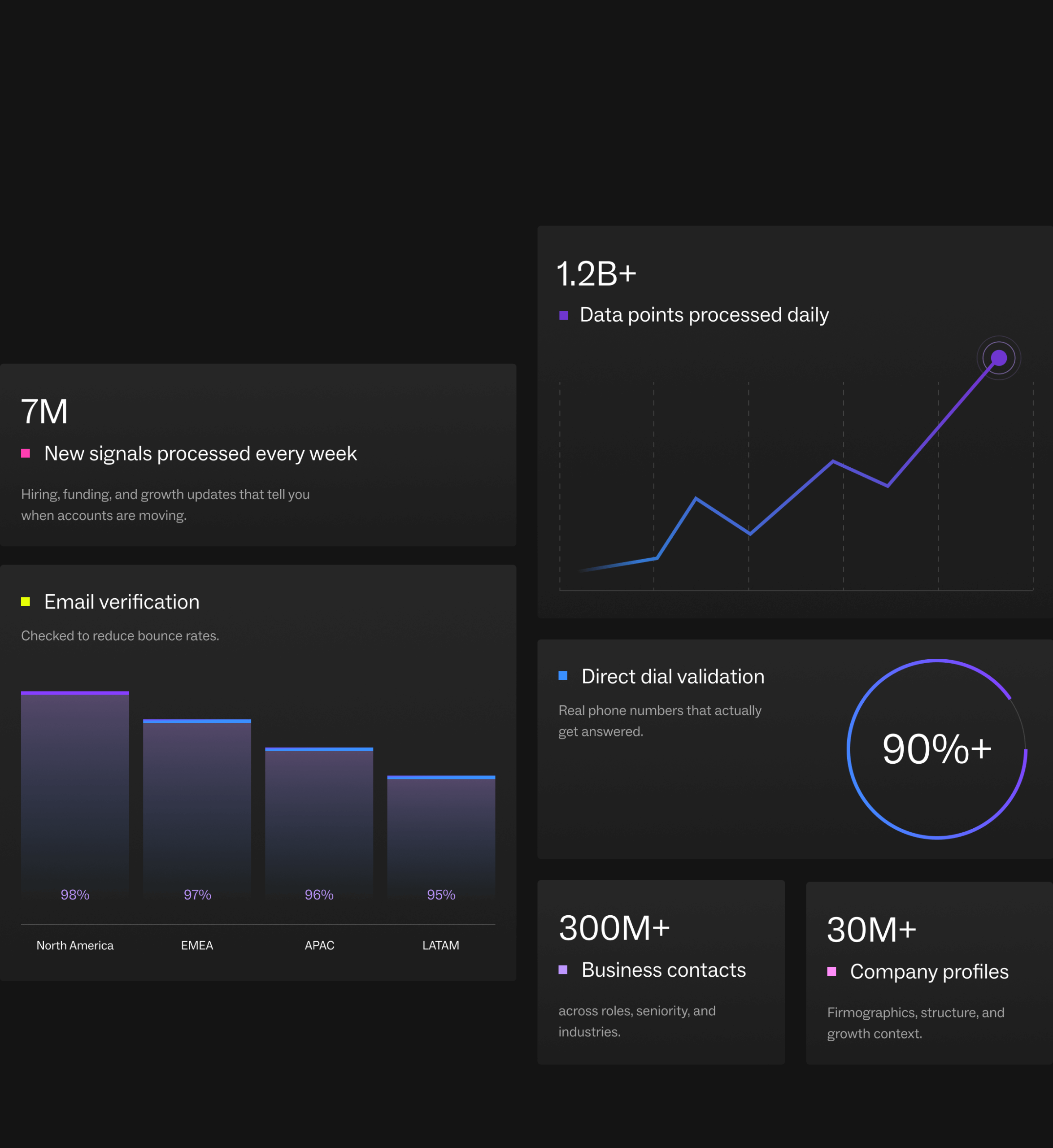
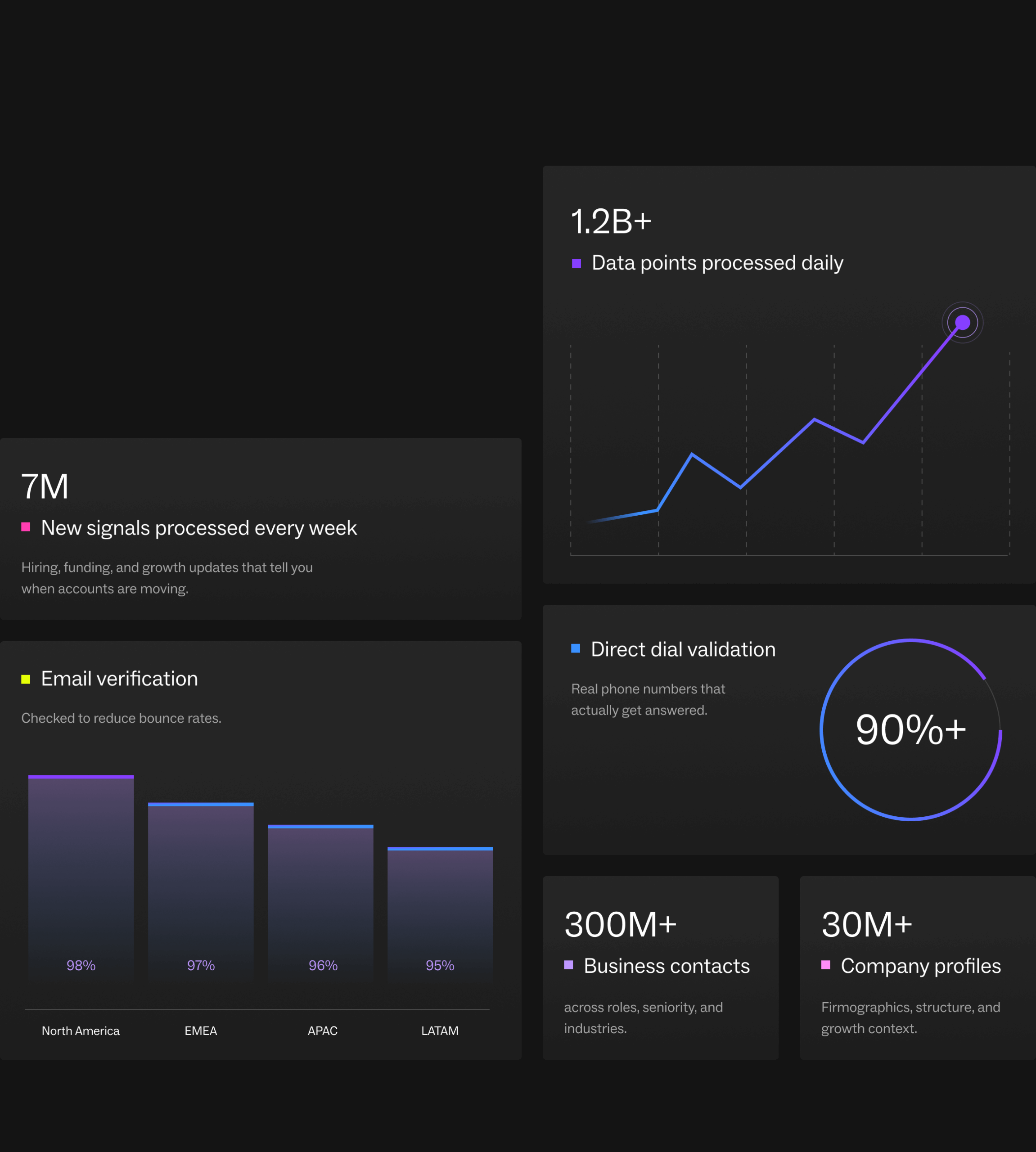
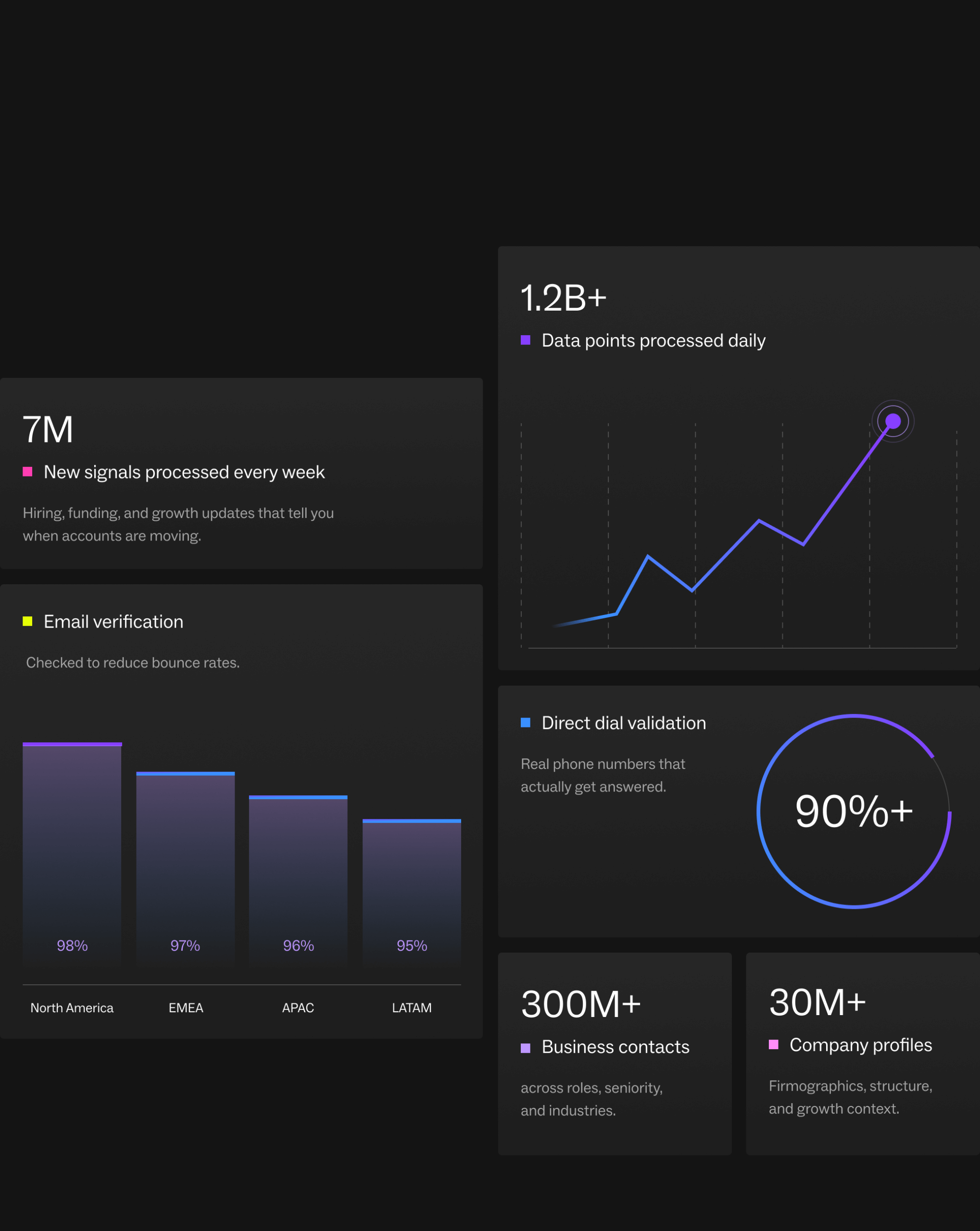
Built on verified, up-to-date data
Lusha keeps your data accurate and compliant through strict validation and continuous updates.
What accurate data means for your team

For Sales
- Build lists in chat with verified emails and phone numbers
- Add funding, hiring, and job change columns
- Save searches so new contacts appear automatically
- Push lists to CRM or sequence in one click

For RevOps
- Import Salesforce records and enrich them instantly
- Add CRM and web enrichment columns in the same sheet
- Keep lists updated without manual cleanup
- Export clean data for scoring and reporting

For Marketing
- Build target segments with chat or filters
- Add firmographic and growth signals as columns
- Keep lists current as contacts change roles
- Sync directly to CRM for campaign activation

For Recruiters
- Find candidates by title, seniority, or job change
- Track hiring and executive movement
- Refine lists in chat without rebuilding
- Maintain updated talent pools automatically
Learn how to get more out of Lusha Workspace

Campus
Step-by-step guides for building lists, saving searches, and using real-world changes to prioritize.
Visit Campus »
Knowledge Base
Detailed walkthroughs of features like AI list building, CRM imports, enrichment columns, and exports.
Explore the Knowledge Base »
Integrations Marketplace
Sync with your CRM, automate enrichment, and connect Workspace to the rest of your GTM stack.
Explore integrations »FAQs
Do I need technical skills to use Lusha Workspace?
No. Lusha Workspace understands plain language. “Find SaaS companies in Boston that raised Series B” works fine.
Prefer filters? Use those instead. Both work. Start your way.
Can multiple teams use Lusha Workspace?
Yes. Sales, RevOps, marketing—anyone who builds prospecting lists.
Workspace adapts to different workflows: ABM targeting, territory planning, campaign building, competitive intelligence. One tool, every team.
How accurate is Lusha contact data?
Lusha Workspace verifies contacts in real time as you build your list. We pull from multiple sources: company websites, professional networks, public records, and proprietary Lusha data.
Does Lusha Workspace replace my CRM?
No. Lusha Workspace connects to your CRM and keeps it enriched. It helps you build and maintain dynamic audiences, then sync them back into your existing workflows.
How is Lusha Workspace different from traditional list building tools?
Lusha Workspace doesn’t just generate a list once. You can save your criteria so the list updates automatically as new contacts and companies match. It becomes a live system, not a static export.










