Written by the Lusha content team. We sell one of the seven products compared here. Lusha facts come from our own product page and documentation. Facts about other vendors come from their own public pages, read on November 15, 2026, and are linked in the table and in Sources. Where a page did not state something, the table says so.
The best tool for mapping buying committees depends on what you need the map to show. Some tools return the people who decide, by role. Some draw the reporting lines. Some show which roles are engaging with your marketing. This page compares seven tools, from buying group tools to organization chart data providers, on what each one maps, how the map gets built, whether contact enrichment comes with it and where it runs.
The short answer: to find who signs, who pushes the purchase through and who will use the product at a named account, with contact details attached, use a buying group tool such as Lusha Buying Group. To see who reports to whom, use an organization chart data provider. Many teams use one of each.
Key takeaways
- An org chart and a buying committee map are different things. The org chart shows reporting lines. The buying committee map shows who takes part in one purchase and in what role.
- Three of the seven tools build the map for you by role. Lusha, Demandbase and 6sense return people grouped by buying role or persona. The others return an org chart or a list that the seller turns into a map.
- Contact details are not a given. Check whether names, emails and phone numbers come with the map or need a second tool.
- A role filter changes the result. In our live run, the first 12 people by score included one decision maker. Asking for decision makers only returned six.
Org chart or buying committee map: what is the difference?
An org chart is a picture of the whole company: who reports to whom, by department and level. It is the same for every seller. A buying committee map is a picture of one purchase: the people who will approve it, champion it, evaluate it and use it. It changes with what you sell.
The two answer different questions. Use the org chart to find a route to a senior person, or to see which team a contact sits in. Use the buying committee map to decide who to call first and who is missing from the deal.

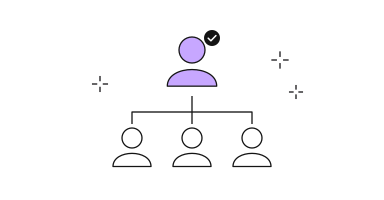
The same people, two views. The organization chart shows reporting lines.
The buying committee map shows who takes part in one purchase.
Seven tools for mapping buying committees, compared
| Tool | What it maps | How the map is built | Contact details | Where it runs | Source (checked) |
|---|---|---|---|---|---|
| Lusha | The decision maker, the champion and the end user at an account, each scored for your seller profile | Built for you. One request covers up to 25 companies in the API and MCP | Names on reveal. Email and phone on the standard reveal | Lusha Workspace, the API, and Claude or ChatGPT through the Lusha MCP. Revealed contacts export to Salesforce or HubSpot | lusha.com, docs.lusha.com (Nov 15, 2026) |
| ZoomInfo | Org charts: reporting structure, job titles and responsibilities. ZoomInfo says the chart shows the buying committee before a first call | Shown for the account in ZoomInfo | Direct contact information for each person in the chart | GTM Workspace. ZoomInfo lists org charts in its Elite plan | zoominfo.com (Nov 15, 2026) |
| LinkedIn Sales Navigator | Relationship Map: the key stakeholders at an account and how they connect. Account Pages add leadership updates and job changes | Built by the seller, who adds people to the map | Not mentioned on the pages checked | Sales Navigator. TeamLink shows colleagues who can introduce you | linkedin.com, LinkedIn webinar page (Nov 15, 2026) |
| Apollo | No named org chart or buying committee feature on the page checked. Contact search with filters for department and seniority | Built by the seller from search results | Contact data and enrichment in the same platform | Apollo, with sequences for outreach | apollo.io (Nov 15, 2026) |
| Demandbase | Buying groups by persona and buying role, with missing roles and engagement for each account | An AI agent builds the group, maps known contacts to roles and fills gaps from a contact database of 150 million+ | Contacts from its database. Exports to CSV, a CDP, a BI tool or an ad platform | Demandbase One, for marketing and sales teams. Pricing is not listed on the page | demandbase.com (Nov 15, 2026) |
| 6sense | Persona Map: the members of the buying team and what each one is researching | Shown for the account in 6sense | Verified emails and phone numbers unlocked on demand with credits | 6sense Sales Intelligence. Pricing is not listed on the page | 6sense.com (Nov 15, 2026) |
| The Official Board | Org charts for companies with revenue above $100M, three reporting levels from the board and CEO down | Maintained by The Official Board | Not stated on the page checked | The Official Board website | theofficialboard.com (Nov 15, 2026) |
The seven tools, one by one
1. Lusha Buying Group
Best for: finding who decides at a named account and reaching them, in the same place. Lusha builds the group for you. It returns the decision maker, the champion and the end user at an account, each with a score for your seller profile, so the map reflects what you sell. One request covers up to 25 companies in the API and the MCP. Contact enrichment is part of the same step: you reveal the email and phone number for the people you choose, and Lusha can enrich with additional sources for more coverage. It runs in the Lusha Workspace, the API, and inside Claude and ChatGPT, and revealed contacts export to Salesforce or HubSpot. See Lusha Buying Group.
2. ZoomInfo
Best for: reporting lines with contact information on the chart. ZoomInfo documents org charts that show reporting structure, job titles and responsibilities, with direct contact information for each person. It lists org charts in its Elite plan.
3. LinkedIn Sales Navigator
Best for: finding a path in through your own network. LinkedIn documents a Relationship Map that the seller builds by adding people, and TeamLink for introductions through colleagues. The pages checked do not mention contact details.
4. Demandbase
Best for: account marketing programs that report engagement by buying role. Demandbase documents buying groups by persona and role. An AI agent builds the group, maps known contacts to roles and fills missing roles from its contact database.
5. 6sense
Best for: seeing what each persona on the buying team is researching. 6sense documents a Persona Map of the buying team, with emails and phone numbers unlocked with credits.
6. Apollo
Best for: a list by title that goes into a sequence. The Apollo page checked names no org chart or buying committee feature. It describes contact search by department and seniority, with enrichment and sequences in the same platform.
7. The Official Board
Best for: board and executive hierarchy at large companies. The Official Board documents org charts for companies with revenue above $100M, three reporting levels deep. The page checked does not state contact details.
Organization chart data providers: which ones include contact enrichment?
An organization chart is only useful to a seller if the people on it can be reached. Of the tools above that document an organization chart, ZoomInfo states that each person comes with direct contact information. The Official Board page checked does not state contact details, and the LinkedIn pages checked do not mention them, so plan for a second tool to enrich those contacts.
Organization chart software with contact enrichment comes in two forms. One attaches contact data to a drawn hierarchy. The other skips the drawing and returns the people by buying role with enrichment in the same step, which is how Lusha Buying Group works. If your question is who to call, the second form gets you there in one request. If your question is who reports to whom, you need the first.
Which tool fits which job
- Who decides at this account, and how do I reach them? Lusha returns the decision maker, the champion and the end user with a score for each, and the contact details sit behind a reveal in the same place. It runs inside Claude and ChatGPT, so an assistant can build the group while you work.
- Who reports to whom? Use an organization chart data provider. ZoomInfo documents org charts with reporting structure, and The Official Board documents three reporting levels for large companies.
- Who on my team has a path in? Sales Navigator documents TeamLink for introductions and a Relationship Map the seller builds.
- Which roles are engaging with our marketing? Demandbase and 6sense document buying groups and personas with engagement and research activity, built for account programs.
- I only need a list by title to send to. A contact search with department and seniority filters does that, and Apollo pairs it with sequences.
One account, mapped live
We ran Lusha Buying Group on one real account through the Lusha connector in Claude, in two requests. The first asked for the whole group. The second asked for decision makers only.
| Role | Person | Title | Score | Email available in Lusha |
|---|---|---|---|---|
| Decision maker | K.D. | Vice President of Global Information Services | 0.88 | Yes |
| Decision maker | J.F. | Chief Information Security Officer | 0.85 | Yes |
| Decision maker | J.J. | Senior Director of IT Operations | 0.82 | Yes |
| Decision maker | J.M. | Chief Executive Officer | 0.80 | Yes |
| Decision maker | E.F. | Vice President of Product Marketing | 0.79 | Yes |
| Decision maker | M.K. | Vice President of Product Marketing | 0.79 | Yes |
| Champion | L.A. | Marketing Operations Manager | 0.89 | Yes |
| Champion | J.R. | Project Manager | 0.88 | From an additional source |
| Champion | E.T. | Cloud Security Engineer | 0.88 | From an additional source |
| End user | M.C. | Information Security Compliance Manager | 0.91 | Yes |
| End user | F.T. | General Manager | 0.88 | Yes |
What the run showed:
- The first request favored champions. The top 12 people by score were nine champions, two end users and one decision maker. Score ranks fit to a role, not seniority.
- The role filter found the signers. Asking for decision makers only returned six people, from the CEO to two vice presidents and a senior director.
- Contact details came with the map. Of the 17 people across both requests, 15 had an email available in Lusha. The other two were marked as possible from an additional source.
- The cost was visible. The two requests returned 18 contacts and charged 18 credits, with no emails or phone numbers revealed yet.
Contacts confirmed live via Lusha connector, November 15, 2026. Account: P., a US software company. Company and people are masked. Scores are shown as the connector returned them, on a scale of 0 to 1. The group reflects the seller profile on the Lusha account that ran it, so the same account returns a different group for a different seller.
How to map a buying committee in five steps
- Start from the account, not from a title. Ask for the buying group at the company and let the roles come back. Run it: build a verified buying group for a target account.
- Ask for decision makers on their own. A ranked list favors the people closest to the problem. A second pass with the decision maker role finds the people who sign. Run it: how to find decision makers at a company.
- Compare the map with your deal. Mark who you have spoken to and which roles are empty. Run it: map the buying group and audit your deal coverage.
- Reveal contact details only for the people you will reach. Reveals are charged per contact, so choose before you spend.
- Recheck the map when a seat changes hands. A job change signal on a mapped role is the cue to find the new owner. Run it: find who owns an account after your champion leaves.
To run all five in one pass, use the Buying Group Skill. The longer method is in How to build a buying group map.
Where Lusha is not the right pick
Lusha Buying Group returns roles and scores. Its documentation does not describe reporting lines, so it is not a drawn org chart. If you need the hierarchy itself, pair it with an org chart source. Its documentation also does not describe engagement reporting by role, which is what the account marketing platforms in the table are built for. And through the MCP, Lusha does not send messages: it supplies the people and the contact details, and outreach runs in your sequencer or CRM.
FAQ
What is the best tool for mapping buying committees?
It depends on the map you need. For the decision maker, champion and end user at a named account, with contact details behind a reveal, Lusha Buying Group builds the group for you in the Workspace, the API, Claude and ChatGPT. For reporting lines, use an org chart source. For engagement by role across an account program, use an account marketing platform.
What is the difference between an org chart and a buying committee map?
An org chart shows who reports to whom across the company and is the same for every seller. A buying committee map shows who takes part in one purchase and in what role, so it changes with what you sell.
Which providers offer organization chart data?
ZoomInfo documents org charts with reporting structure and contact information. The Official Board documents org charts for companies with revenue above $100M, three levels deep. LinkedIn Sales Navigator documents a Relationship Map that the seller builds. Details and sources are in the comparison table.
Is there org chart software with contact enrichment?
Yes, in two forms. Some tools attach contact information to an org chart. Others, such as Lusha Buying Group, return the people by buying role and let you reveal the email and phone number for the ones you choose.
Can I map a buying group in Claude or ChatGPT?
Yes. With the Lusha MCP connected, ask for the buying group at a company or a list of up to 25 companies. Lusha returns each person with a role and a score, and you reveal contact details for the ones you pick.
How do I keep a buying committee map current?
A job change signal on a mapped role tells you the seat has changed hands. Recheck the buying group at that account and reach the person now in the role.
Map the buying group at one of your own accounts and see who comes back in each role.
Sources
All pages accessed November 15, 2026.
- Lusha Buying Group
- Lusha docs: Buying Group
- Lusha release note: Buying Group
- ZoomInfo: How to use org charts for B2B sales
- LinkedIn: Build and navigate buying committees
- LinkedIn: Relationship Map and Account IQ webinar
- Apollo: Best tool for mapping organizational charts
- Demandbase Buying Groups
- 6sense Company and People Search
- The Official Board: What is in the database